































































Kevin Gemeroy
Kevin is founder and president of Dynamic Computing. For more than two decades, he has been a trusted technology partner for Seattle-area businesses and nonprofits.
Who We Are
Industries
Solutions
Service Areas
Resources
How many computers and devices does your company have? Which software subscriptions are you paying for but barely using? Are all your systems up to date? What security measures are protecting your business?
These seem like pretty basic questions. And if you're paying an IT provider to manage your technology, you'd expect them to have the answers.
But what if they don't? What if the information is incomplete, outdated, or takes weeks to pull together?
It's a frustrating situation, and it raises a bigger question: If your IT provider doesn't have a clear picture of your technology, how effectively can they manage it?
For growing organizations, that lack of visibility can become a major reason to consider changing IT providers. Not knowing what technology you have isn't just an administrative problem. It can create security risks, slow employees down, and lead to unnecessary spending.
When a company has 15 employees working from one office, keeping track of its technology is relatively simple.
Fast-forward a few years. Now there are 50 employees, some working remotely, others in different offices. You've added cloud applications, upgraded computers, changed software platforms, and introduced new tools to support different departments.
Along the way, employees have come and gone. Devices have been replaced and software subscriptions have grown. Security requirements have changed.
Someone needs to be keeping track of all of it. But that doesn't always happen. According to Flexera's 2025 State of IT Asset Management Report, only 36% of surveyed IT professionals reported complete visibility across their organizations' technology stacks, down from 47% the previous year.
That's a significant gap, especially considering how much organizations depend on technology to operate.
Your IT provider should maintain an accurate inventory of your computers, servers, networking equipment, mobile devices, software, licenses, cloud services, and security tools. More importantly, they should understand how those technologies work together, who's using them, and whether they're still meeting your business needs. Without that knowledge, IT management becomes more reactive than proactive.
You can't protect technology you don't know exists.
Think about a laptop that hasn't received security updates in months. Or an employee who left the company but still has access to sensitive files. Maybe a department started using a cloud application without IT knowing about it.
Any of these situations could create a security vulnerability. And if your IT provider doesn't have an accurate understanding of your environment, those vulnerabilities may go unnoticed.
The potential consequences are significant. IBM's 2025 Cost of a Data Breach Report found that the average cost of a data breach in the United States reached $10.22 million, a record high.
That figure reflects the organizations studied, not what every business should expect to lose. But it illustrates just how expensive security failures can become.
Your IT provider should be able to explain which devices are being monitored, whether security updates are current, how access to sensitive information is controlled, and what protections are in place against cyber threats.
They should also know what's being backed up, whether recovery procedures have been tested, and where security gaps still exist.
This becomes even more important when a customer requests a security assessment, a cyber insurance carrier introduces new requirements, or a regulation changes how your organization must handle data.
If your provider can't readily explain your security posture, how can you confidently demonstrate that your business is protected?
Poor visibility doesn't just create security risks. It can also quietly slow your business down.
Maybe employees are working on aging computers that struggle to run the applications they need. Different departments might be using software that doesn't work well together. Or recurring network issues keep getting patched without anyone addressing the underlying problem.
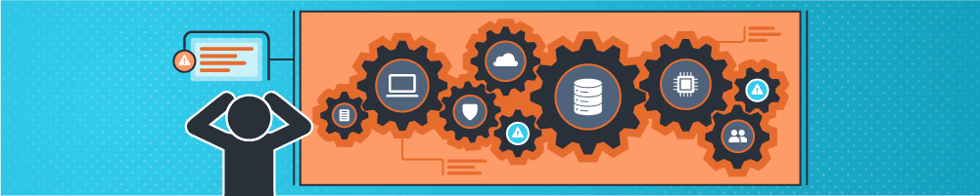
Individually, these issues might seem minor. But when employees regularly lose time dealing with slow systems, application problems, or unnecessary workarounds, those interruptions add up.
Your IT provider should know which technologies are helping employees work efficiently and which ones are getting in their way. That means understanding equipment age, tracking performance issues, identifying recurring support problems, and recommending improvements before they become urgent.
Keeping systems running is important. But helping employees get more done with fewer technology headaches should be part of the job, too.
There is a financial cost to not knowing exactly what technology your business owns and uses. Software subscriptions are a good example. As organizations grow, it's easy to accumulate overlapping applications, unused licenses, and subscriptions that continue long after the employees who needed them have left.
In fact, Zylo's 2025 SaaS Management Index found that 52.7% of purchased software licenses went unused in a typical month among the organizations analyzed. While that research largely reflects larger organizations, the underlying issue is relevant to businesses of all sizes.
How many applications is your company paying for? How many are actually being used? Are different departments paying for tools that do essentially the same thing? If your IT provider doesn't know, there's a good chance you're missing opportunities to reduce unnecessary expenses.
The same goes for hardware. Without accurate records and a replacement plan, organizations may purchase equipment they don't need, replace devices too early, or keep outdated systems running long after they should have been retired.
A proactive IT provider should help you understand where your technology budget is going and whether you're getting value from those investments. The goal isn't necessarily to spend less on IT. It's to spend smarter.
If you're struggling to get clear answers about your technology, it's reasonable to wonder whether your current IT provider is still the right fit. But that doesn't mean you need to start interviewing replacements tomorrow.
A better first step is to get a comprehensive picture of your IT environment.
An IT audit can help identify what equipment and software you have, how your systems are configured, which security measures are in place, where vulnerabilities exist, and whether your technology is supporting your business as effectively as it should. It can also uncover opportunities to improve performance, eliminate unnecessary spending, and plan for future growth.
Sometimes the findings reveal relatively simple improvements your existing provider can make. Other times, they point to larger problems with how your technology is being managed.
Either way, you'll have the clarity you are missing today.